Solution for PR managers & Talent representatives & Entertainment publicists
Photo management for PR and entertainment agencies
One platform for every client. Every photo tracked. Every download logged.
By the Numbers
Photo management for PR and entertainment agencies
Last Tuesday, an embargoed photo from your client's upcoming project showed up on a gossip blog 72 hours before the planned exclusive with Variety. The publicist who shared the preview swears they only sent it to three people. The studio is asking how it happened. You're digging through email threads trying to figure out who forwarded what to whom, and you're realizing there's no way to know. The photo was an email attachment. Once it left your outbox, you lost control.
This is the kind of problem that doesn't happen once. It happens every awards season, every press cycle, every time you're managing embargoed content for multiple clients across email, Dropbox, Google Drive, and whatever file-sharing tool someone on your team decided to use last week. The files are everywhere. The tracking is nowhere.
The multi-client problem
PR and entertainment agencies have a specific version of photo management chaos that generic tools can't solve.
Client libraries are scattered. Client A's headshots are in Dropbox. Client B's press photos are in Google Drive. Client C's event coverage is in a WeTransfer link that expired two months ago. Your junior publicist has a folder on their desktop with "final_FINAL_v3" versions of images that may or may not be approved for distribution.
Embargo enforcement runs on trust. You email photos to a journalist with "EMBARGOED UNTIL MARCH 15" in the subject line. That's it. That's your enforcement mechanism. There's no technical control preventing them from publishing early, forwarding to colleagues, or saving to their personal drive. If the embargo breaks, your client loses the planned exclusive, and you lose credibility.
Approval feedback is everywhere. A talent rep texts "kill #4 and #7" while you're in a meeting. Another client emails notes referencing "the one where she's looking away from camera." A third leaves a voicemail. None of it ends up in one place, and reconstructing what's approved for distribution requires cross-referencing three communication channels and hoping you didn't miss anything.
Nobody knows who downloaded what. When a photo appears somewhere it shouldn't, your only option is to ask around. There's no log, no audit trail, no proof. Just a lot of uncomfortable phone calls.
How ReelStorage works for agencies
Client organization
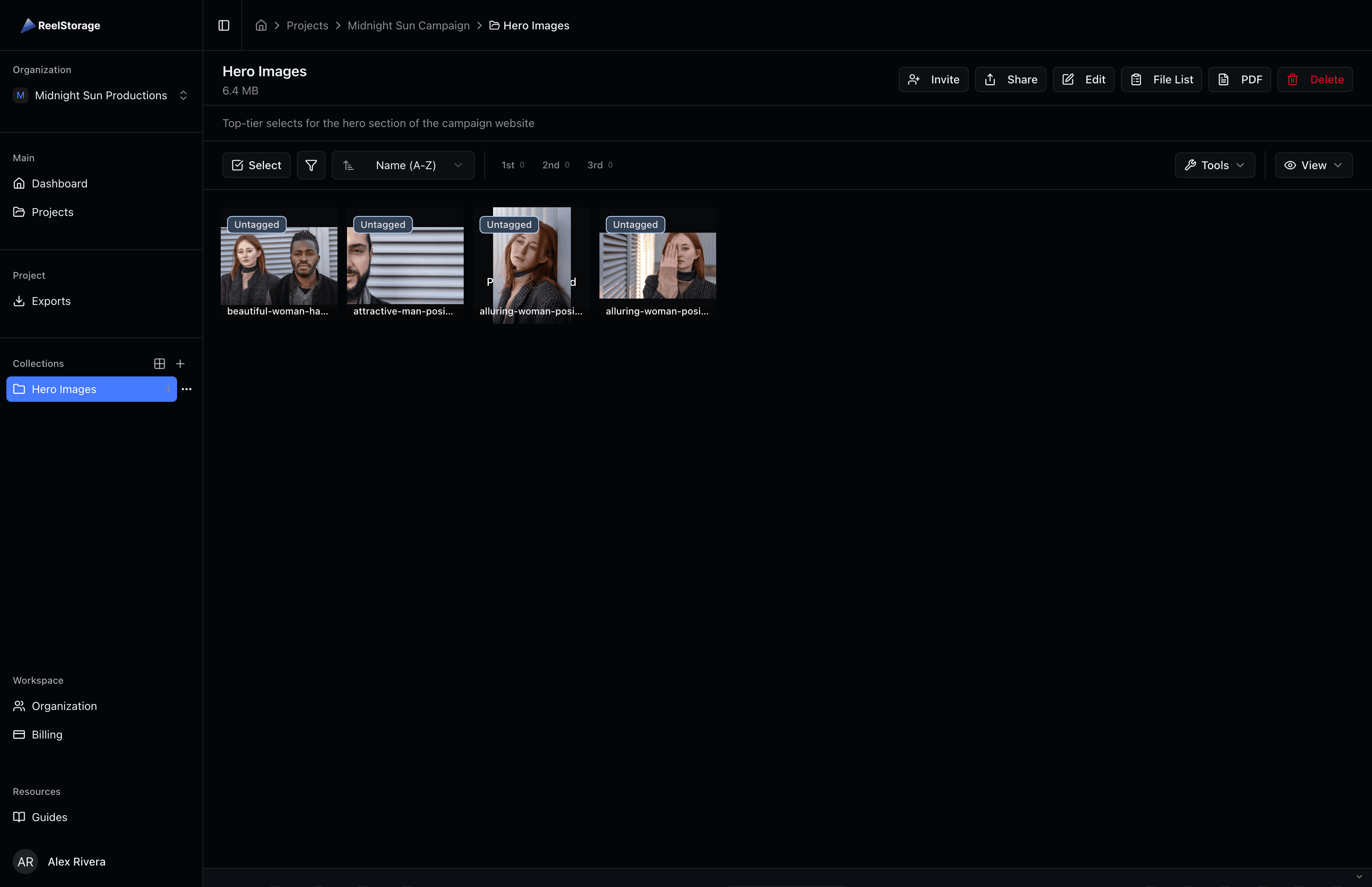
Every client gets their own project space. Smart collections let you organize by campaign, event, season, or whatever structure makes sense for each client's work. Your team sees every client they're assigned to. Clients see only their own assets. No crossover, no accidents.
Team management lets you assign staff to specific clients and control who can upload, edit, share, or approve. When a publicist leaves or a freelancer's contract ends, you revoke access in one place, not across fifteen different shared folders.
Review and approval
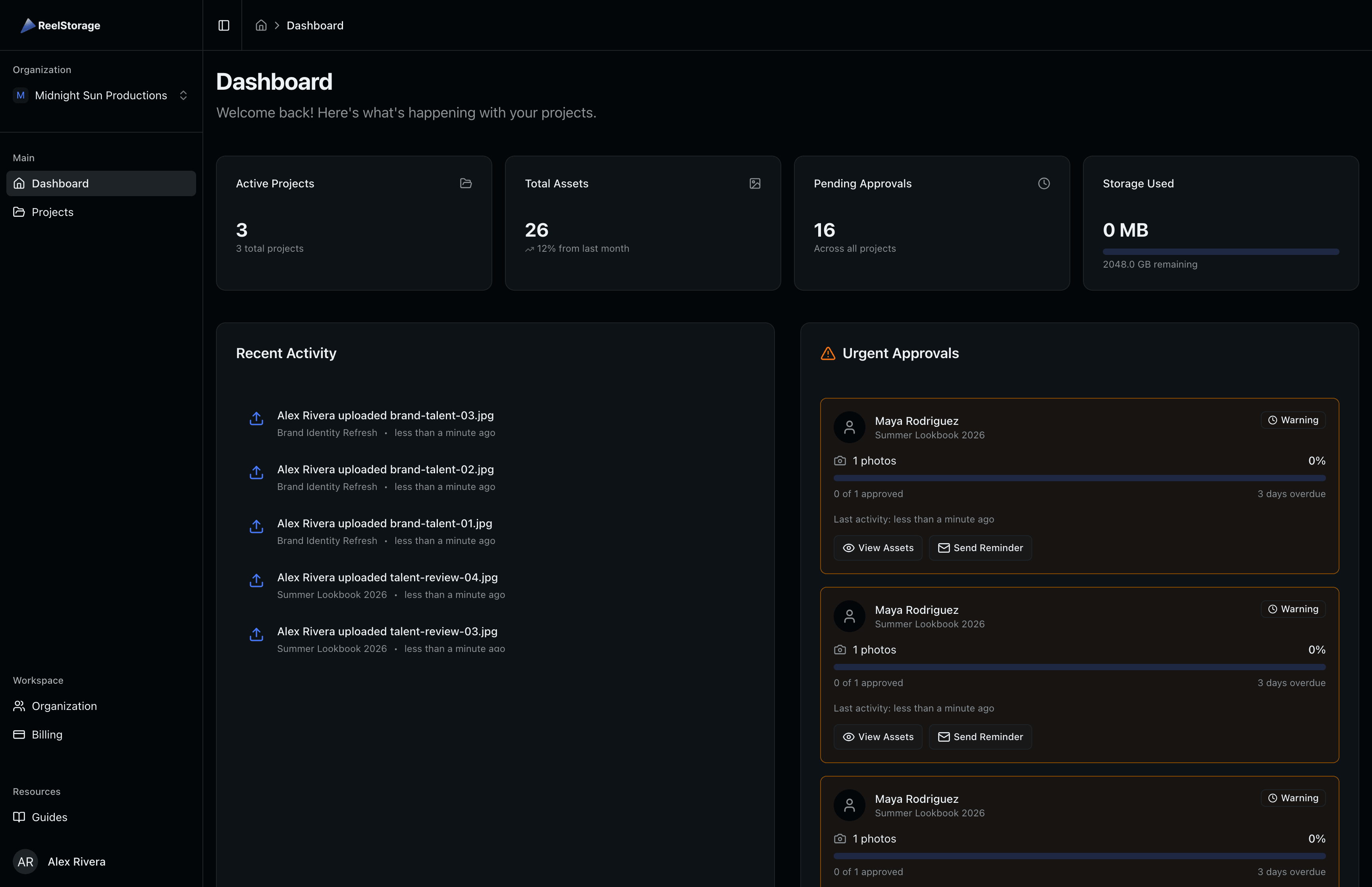
Talent approvals turn your scattered feedback process into something trackable. Share a set of photos with a client or talent rep through a secure review interface. They approve or reject in the browser, on their phone, whenever they have a few minutes. Every decision is timestamped and logged.
No more "kill the third one from the left." Each image has a clear identifier. Approvals and rejections are recorded against specific files. When you need to prove what was approved for distribution, the record exists without you having to reconstruct it from email threads.
Real-time collaboration means your team and your clients can be looking at the same photos at the same time, leaving notes and making decisions without the back-and-forth of email attachments.
Distribution and tracking
This is where the difference between ReelStorage and a shared folder becomes obvious.
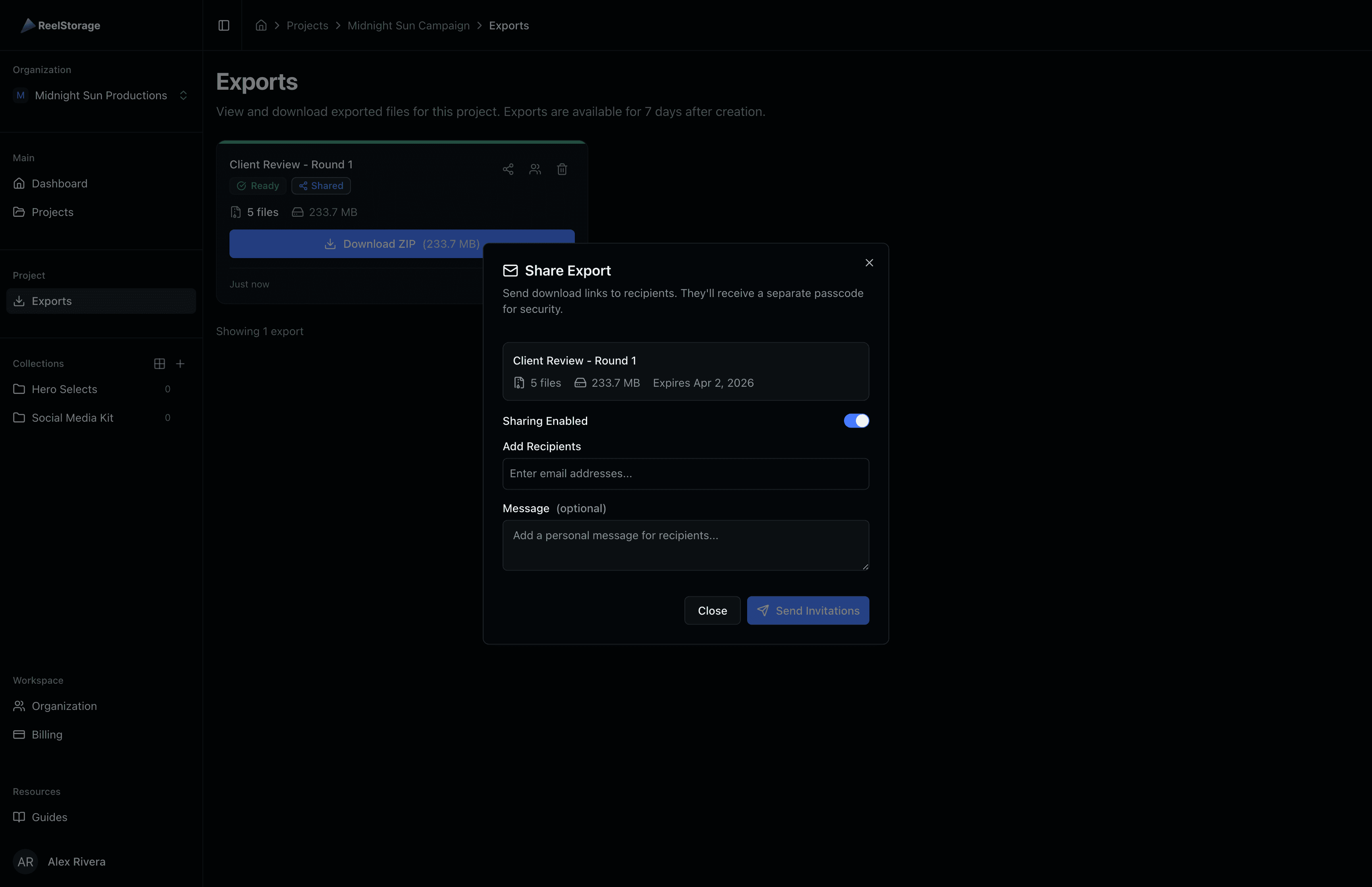
Secure distribution gives you control over every photo that leaves your account. Set expiration dates on share links. Limit download counts. Require authentication. When an embargo lifts on March 15, the link goes live on March 15, not whenever someone decides to click it early.
Watermarking on preview images means even if someone screenshots a preview, the watermark identifies the source. Press gets clean, unwatermarked downloads only through your controlled links, only for approved images.
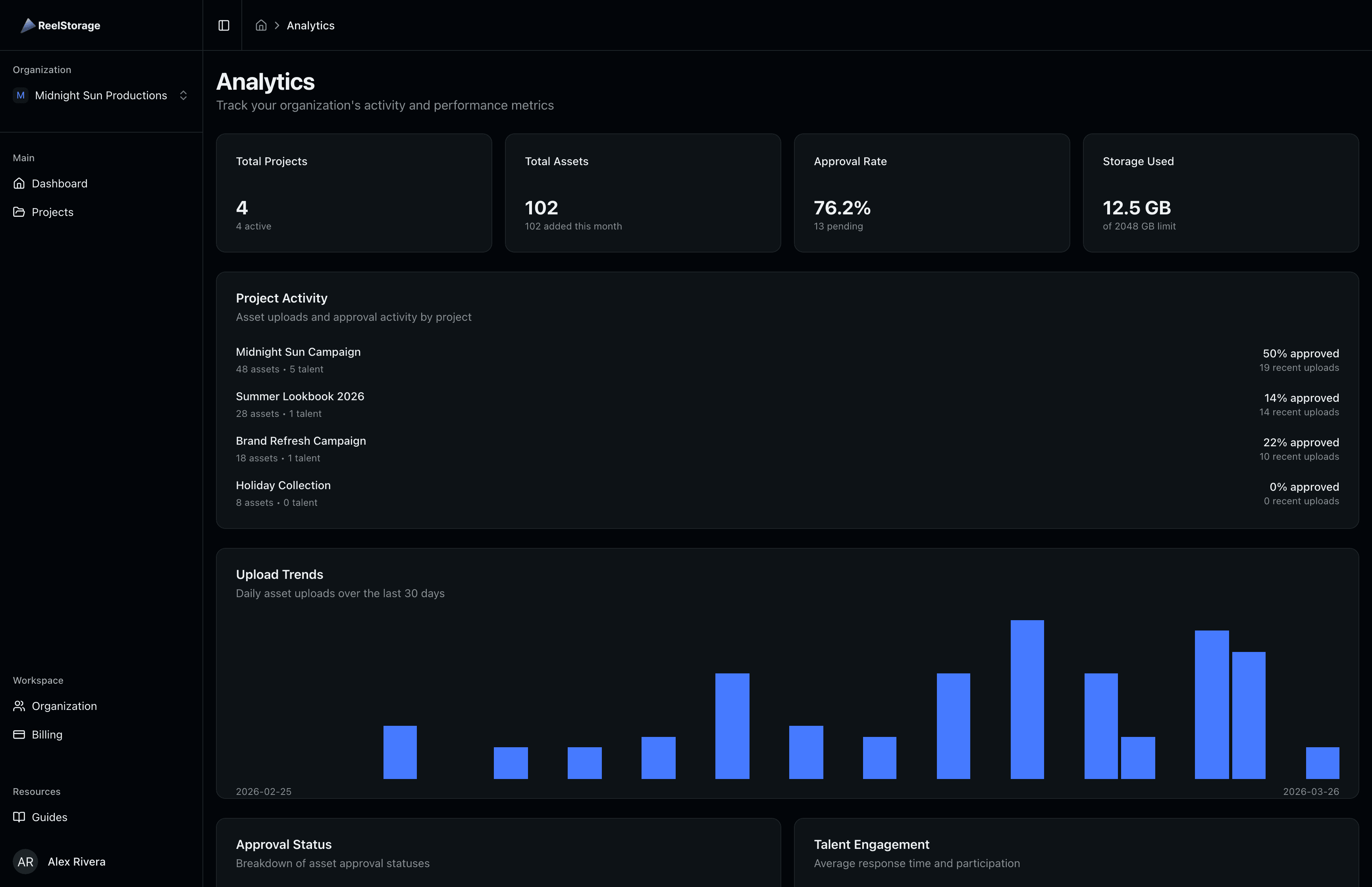
Analytics and download tracking log every access. Who viewed what, when, from where. If an embargoed photo leaks, you don't have to guess. You can see exactly which link was accessed, by whom, and when. That's the difference between "we'll look into it" and "here's what happened."
CDN distribution means your press contacts get fast downloads regardless of file size or their location. No more "the WeTransfer link is taking forever" complaints during a press event.
Working with assets
Asset viewer gives your team and clients a clean way to review photos without downloading everything first. Zoom, compare, and evaluate images in the browser before deciding what to approve or distribute.
Exports let you pull approved assets in the formats and sizes your press contacts need. Social-ready crops, print-resolution files, web-optimized versions. Metadata stays embedded so photographer credits travel with the images.
Agency workflows that actually work
Award season photo management
Award season means managing press photos for multiple clients across multiple events, all with different embargo dates, different approval chains, and different press contacts. With ReelStorage, each event gets its own collection within each client's project. Embargo dates are enforced through link expiration. Approvals are tracked per talent. When the Hollywood Foreign Press needs approved images by Friday, you know exactly what's cleared and can share it in minutes.
Press junket photo distribution
Your photographer shoots 500 images at a press junket. By the end of the day, talent needs to review and approve, and select outlets need the approved shots for next-morning coverage. Same-day delivery isn't a stretch goal. It's the expectation. Upload, get talent approval through the mobile review interface, watermark the unapproved shots, share the approved ones through controlled links. The whole cycle can happen between lunch and the evening news.
Client onboarding
When you sign a new client, you create a project, invite their team with appropriate permissions, upload their existing photo library, and set up their approval workflow. That's it. You're not creating new Dropbox folders, setting up new shared drives, or explaining how to use yet another file-sharing tool. One platform, same workflow, every client.
Handling photo requests from press
A journalist needs a specific headshot for a profile piece running next week. Instead of digging through email to find the approved set, you search by client and approval status, find the shot, and send a controlled download link with an expiration date. Two minutes, not twenty. The download gets logged, and if they need it again after the link expires, they come back to you.
Why not just use Dropbox?
Dropbox stores files. So does Google Drive. They're perfectly fine for that. But when your job is controlling distribution, tracking access, enforcing embargoes, and proving chain of custody for talent photos, file storage is about 20% of what you need.
The other 80% is knowing who has access to what, tracking every download, enforcing approval workflows, watermarking unapproved content, expiring links after embargo dates, and having an audit trail that actually means something when a client asks "who leaked this?"
That's not a file storage problem. That's an asset management problem. And it's what ReelStorage is built for.
Who this is for
PR managers running multi-client photo libraries who are tired of the Dropbox/Drive/email shuffle. You get one platform where every client's assets are organized, every download is tracked, and every approval is recorded.
Talent representatives who need to manage approval workflows for their clients' images across multiple productions and press opportunities. The mobile review interface means your clients can approve between takes or from their couch.
Entertainment publicists who live and die by embargo dates and controlled distribution. When your reputation depends on photos appearing in the right outlet at the right time, you need more than a shared folder and good intentions.
Key Features
Explore the tools that power this solution
Analytics
Photography analytics that show how your assets are used, downloaded, and shared, with client reporting built in.
Asset Viewer
View production photos at full resolution with EXIF and IPTC metadata overlays, keyboard-driven navigation, and side-by-side comparison. Built for teams that need to review and select photos quickly.
CDN Distribution
Serve optimized images globally through a content delivery network. Automatic format conversion, responsive sizing, and edge caching ensure fast load times for press kits, client galleries, and embedded media.
Exports
Create batch downloads with format and watermark options, share exports via secure links, and track who downloads what. Purpose-built for EPK preparation and press photo delivery.
Real-Time Collaboration
Comment on assets, mention team members, track activity, and collaborate in real-time. Built-in notifications keep everyone aligned on project progress.
Secure Distribution
Deliver approved stills to publicists and media with automatic watermarking, expiring links, and full chain of custody tracking. Every download is logged and traceable.
Smart Collections
Create collections with up to 3 levels of nesting, share with teams using granular permissions, and generate secure download links. Perfect for organizing shoots, projects, and client deliveries.
Talent Photo Approvals
Send secure access codes to talent for photo approval. No account required. Two-email security, mobile-friendly review, and real-time tracking with full audit trail.
Team Management
Invite team members, assign roles, manage permissions across projects, and onboard new hires in minutes. Built for studios and agencies managing multiple productions simultaneously.
Watermarking
Photo watermarking software that automatically protects review copies and removes watermarks on approved downloads.
Frequently Asked Questions
Ready to transform your workflow?
Join thousands of professionals using ReelStorage to manage their creative projects.